


Beat Maker Pro - DJ Drum Pad
4.69.10K Reviews
App Specs
- Version
- 4.17.01
- Updated On
- License
- Free
- Downloads
- 50,000,000+
- Developer
- MWM - AI Music and Creative Apps
- Categories
- Music & Audio
- Platform
- Android, iOS
Screenshots
 Analysis by AppCompare
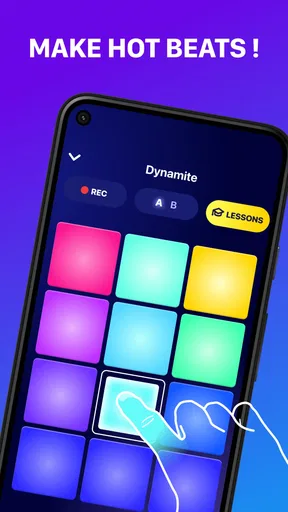
I like the idea of a music app that lets me experiment before I have any gear, theory, or polished plan. Beat Maker Pro - DJ Drum Pad is a mobile beat-making app from MWM - AI Music and Creative Apps, built around tapping drum pads to shape a groove. Its appeal is immediacy: rather than beginning with a large music-production workspace, I can use a phone screen as a small, approachable place to try rhythmic ideas.
What free access means in practice
The app is free to download, which makes it easy to try without committing money upfront. It also offers in-app purchases, priced from $0.99 to $89.99 per item. I would treat that range as a reason to check the purchase details in the app before paying, rather than assume every sound, lesson, or tool is included at no cost. The useful distinction is simple: trying the basic experience is free, while some optional content or access may cost extra.
That setup suits a curious beginner who wants to find out whether tapping out beats feels enjoyable before buying equipment or signing up for a more involved production tool. It is less straightforward for someone who wants to know the full cost of a complete music-making workflow in advance. I would start with the free access, see what I actually use, and only consider a purchase if a specific paid item solves a real need.
Your Personal Beat Lab
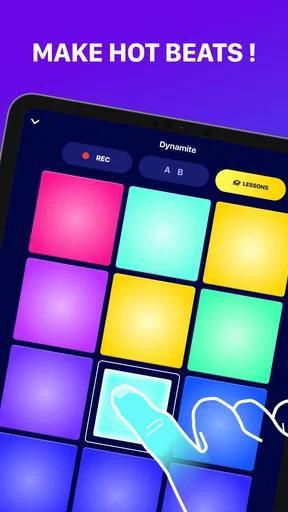
So, what’s the deal with Beat Maker Pro - DJ Drum Pad? Essentially, it’s a digital drum pad that lets you create beats, mix tracks, and explore various genres of music. As soon as you open the app, you’re greeted with a clean and intuitive interface. It's like having a mini DJ booth at your fingertips. You can dive right into making beats with just a few taps.
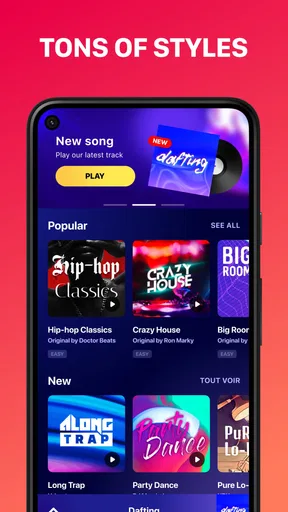
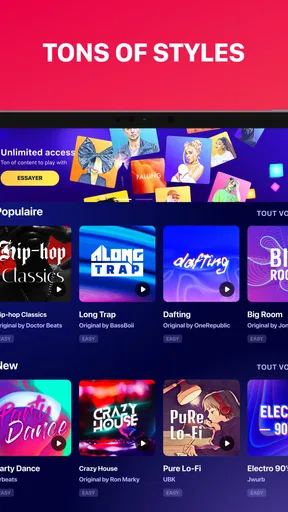
The app comes loaded with a variety of sounds and effects. You'll find everything from hip-hop and electronic to dubstep and house. There’s something for everyone here, and it’s super easy to switch between genres. Plus, the sound quality is top-notch, making your creations sound professional right from the get-go.
Features That Hit the Right Note
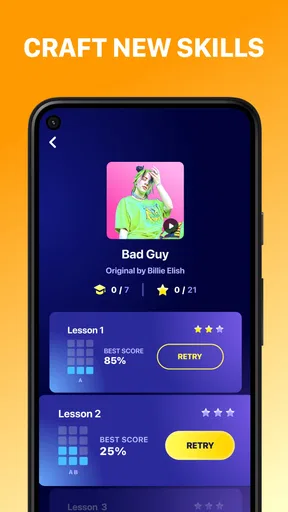
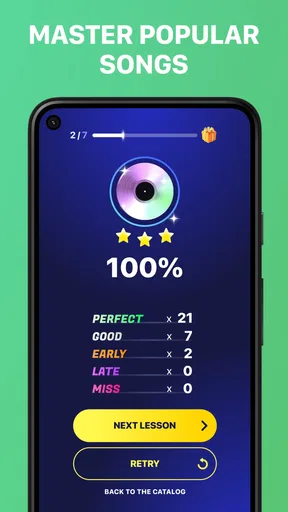
One of the standout features is the tutorial mode. It’s perfect for beginners who might feel a bit overwhelmed at first. The tutorials guide you through the basics and offer tips to refine your skills. Before you know it, you’ll be crafting beats like a pro!
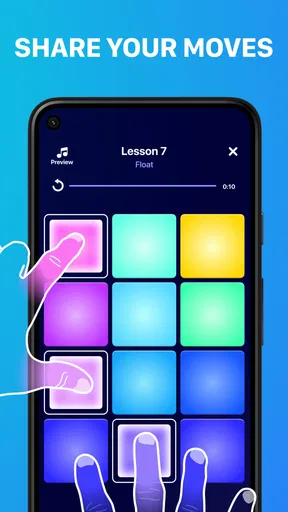
Another cool feature is the ability to record your sessions. You can save your tracks and share them with friends or on social media. There’s even a community within the app where you can showcase your creations and get feedback from other users. It’s a great way to stay inspired and learn new tricks.
Worth Reading Before You Choose

EA SPORTS FC Mobile 26 Is a Bigger Football Game, but It Takes Time

Flipboard Shows What News Apps Must Do Beyond the Feed

Switching to Android Auto Means Rethinking Your Driving Routine

Google Calendar Makes a Crowded Week Easier to Manage

Ludo King Makes the Most of the Minutes Between Plans

Baby Panda World Brings Quick Play to Modern Phones, but Its Game Library Feels Busy
From a quick loop to a useful practice habit
I get the most value from a pad-based workflow when I give myself a small target. Instead of trying to produce a finished song during a short break, I might build a rhythm that has a clear beginning and ending, then record it while the idea is fresh. That turns a casual session into something I can listen back to later and judge more honestly than I can while I’m tapping along.
A practical routine is to start with one pattern, keep the first attempt simple, and then make a second take with a different feel. Listening back helps me notice whether the beat is actually working or whether I was enjoying the act of playing it more than the result. If the app’s genre choices prompt a direction, I can use that as a starting point rather than treating a genre label as a rule I have to follow.
For a beginner, the tutorials are most useful when approached in short bursts. I would follow one lesson, spend a few minutes trying the idea without looking at the instructions, and then return to it if I get stuck. That small pause is a better test of whether I understood the rhythm than replaying a lesson passively. It also keeps the app from feeling like another course that demands a long block of attention.
Where a phone drum pad fits among music apps
Compared with a conventional digital audio workstation, a drum-pad app is much less demanding at the start. A full production tool is usually the better choice when I want detailed arrangement, editing, or a broader recording workflow. Beat Maker Pro’s strength is the quick, tactile route into rhythm: it gives a casual user a way to tap and explore without first learning a large interface. That convenience comes with a trade-off; the pad format is not a substitute for every part of making a complete track.
It also feels different from simply playing music or using a streaming service. Those are for listening; this is for participating and making a rhythmic idea of your own. If I already use a keyboard, drum machine, or desktop software and need fine control over a finished production, I would keep those tools in the workflow. If I just want an accessible first step or a quick way to sketch a beat, a phone is less of a barrier.
One small but useful habit is to decide before opening the app whether I’m practicing, experimenting, or saving a shareable result. Those are different goals. For practice, I can repeat a short pattern and focus on timing; for exploration, I can switch sounds and see what changes; for a saved take, I should listen through once before sharing. Separating those intentions helps me avoid tapping around without learning much from the session.
Get Grooving Anytime, Anywhere
The app is available for both Android and iOS, so you can take your music-making on the go. Whether you’re on a bus or chilling at home, you can whip out your phone and start jamming. The flexibility is fantastic, especially for those spontaneous bursts of creativity.
A realistic use case is a few quiet minutes between errands: I can try a beat idea, record a take, and decide later whether it is worth developing. I would use headphones in a shared space so the session stays considerate, and I would keep expectations modest on a small touchscreen. Pads make rhythm feel direct, but phone tapping is not the same as performing on larger hardware, especially if I want precise, repeated gestures.
Another good use is as a low-pressure way to explore what kinds of rhythms I enjoy. Someone who is unsure whether they like making music can try short sessions instead of investing immediately in instruments or complex software. It can also be a playful activity with a friend: take turns making a simple pattern and see how changing the sound or timing changes its mood. The point is experimentation, not pretending a quick phone recording is automatically a finished release.
Additionally, Beat Maker Pro - DJ Drum Pad doesn’t require any previous musical experience. The app is designed to be accessible for all skill levels. You can start with simple beats and gradually work your way up to more complex compositions.
Who gets the most from it—and who may not
I’d recommend it to a beginner who wants hands-on rhythm practice, a hobbyist who likes building short loops, or anyone who enjoys trying musical ideas on a phone. The tutorial-led approach can make the first session less intimidating, while recording gives a reason to listen critically instead of treating every session as disposable. MWM - AI Music and Creative Apps has made a music-and-audio app that is easy to approach without a studio setup.
I would steer a serious producer toward a more complete production environment if their priority is detailed editing, arranging a long composition, or managing a complex project. I would also skip it if I only want to listen to finished songs, since a beat-making tool asks me to participate rather than simply press play. People who dislike touchscreen tapping may find the central interaction less comfortable than physical pads or keys.
Before relying on it as a regular creative tool, I’d check that the current version works well on my device and that the free experience covers the way I plan to use it. The app is rated for Everyone, has a 4.6 average from around 504,000 ratings, and has passed 50 million installs. Those figures suggest broad interest, but they don’t tell me whether its particular workflow will suit my hands or musical goals; a short personal trial is still the most useful test.
Final Thoughts
In a nutshell, if you’re looking to explore your musical side, this app is a must-try. It’s fun, engaging, and offers endless possibilities for creativity. Whether you’re making beats for fun or aspiring to be the next big DJ, Beat Maker Pro - DJ Drum Pad has got you covered.
So, why not give it a spin? You might just discover a new passion or even the next chart-topping hit!
My verdict is positive with a clear boundary: I see it as a friendly starting point and a handy sketchpad, not a promise of professional production on its own. Its free entry makes experimentation low-risk, while the optional purchases mean I’d check costs before building a routine around paid material. If quick, tactile beat-making sounds appealing, I’d give it a try; if I need precise control over a complete track, I’d choose a fuller music-production tool instead.
A few practical decisions before settling in
The current version is 4.13.00, and the minimum operating system is 7.0. Those details are useful when deciding whether an older device is suitable, but I’d still install it on the device I intend to use and judge the actual feel of the pads there. A music app can be technically compatible and still feel cramped on a small screen, so comfort matters as much as the ability to open it.
For sharing, I’d treat a recording as a draft first. Listen to it once away from the tapping session, then decide whether it communicates the idea clearly enough to send to a friend or post. That quick check can reveal uneven timing or a pattern that becomes repetitive after a few listens. It’s a simple way to make recording more useful without turning a casual app into a demanding production job.
There is also a useful boundary around feedback. Sharing a beat can make practice more social, but reactions from other users are subjective and may not provide the precise instruction a learner needs. I’d use comments as encouragement or inspiration, then rely on repeating a tutorial and listening back to my own takes to build consistency. The community element is a bonus, not a replacement for structured music lessons.
My buy-or-skip call
For someone wondering whether the app costs money, the short answer is that downloading it is free, while optional in-app purchases are available. That makes it reasonable to explore first, but it does not mean every possible use or item is free. I’d avoid purchasing on impulse: try the basic pad experience, identify what feels missing, and only then decide whether a paid option is worth it to me.
Overall, I’d choose it when the goal is to get a rhythm idea out of my head quickly, practice with a guided starting point, or enjoy making a short beat during spare time. I’d skip it when I need a complete production desk, dislike touch controls, or want an app purely for listening. That distinction is what makes the recommendation honest: it can be a rewarding pocket-sized creative tool, as long as I ask it to do the job it is built for.
Pros
- Intuitive interface for beginners.
- Wide variety of sound packs.
- Real-time recording feature.
- Customizable drum kits.
- High-quality audio output.
Cons
- In-app purchases can be pricey.
- Limited free sound options.
- Requires internet for some features.
- Occasional app crashes.
- Ads can be intrusive.
FAQs for Beat Maker Pro - DJ Drum Pad
What is Beat Maker Pro - DJ Drum Pad?
Beat Maker Pro - DJ Drum Pad is a mobile application designed for music enthusiasts who want to create beats on the go. It offers a user-friendly interface with a variety of sound packs, allowing users to compose and mix music effortlessly. It caters to both beginners and professional musicians with its range of features.
Is Beat Maker Pro suitable for beginners?
Yes, Beat Maker Pro is suitable for beginners. The app includes tutorials and a simple interface that makes it easy to start creating music. It offers a variety of preloaded sound packs and step-by-step guides to help new users understand the basics of beat making and music composition.
What features does Beat Maker Pro offer?
Beat Maker Pro offers a rich set of features including customizable drum pads, a wide selection of sound packs, and real-time recording. Users can loop sounds, add effects, and share their creations directly from the app. The app also supports MIDI, allowing for more advanced music production.
Does Beat Maker Pro have in-app purchases?
Yes, Beat Maker Pro includes in-app purchases. While the app is free to download, certain features, sound packs, and advanced tools require payment. This allows users to enhance their music creation experience, but it's important to be aware of these potential additional costs before downloading.
Can I use Beat Maker Pro offline?
Beat Maker Pro can be used offline, making it convenient for users to create music without an internet connection. However, some features, like downloading new sound packs or sharing creations online, will require connectivity. This offline capability allows users to work on their projects anytime, anywhere.


